01 / The problem
The problem
Avell laptops use a Uniwill/Tongfang chassis. On Windows, the fan button and the vendor's Control Center pick profiles, tune the fan curve and limit battery charge.
On Linux none of that exists: the button does nothing and the laptop is stuck on the BIOS automatic curve, with loud fans for no reason or heat with no response.
Avell Fan uses the open drivers from TUXEDO, which sells Linux laptops on the same chassis, and adds a service with its own interface on top.
02 / What it does
What it does
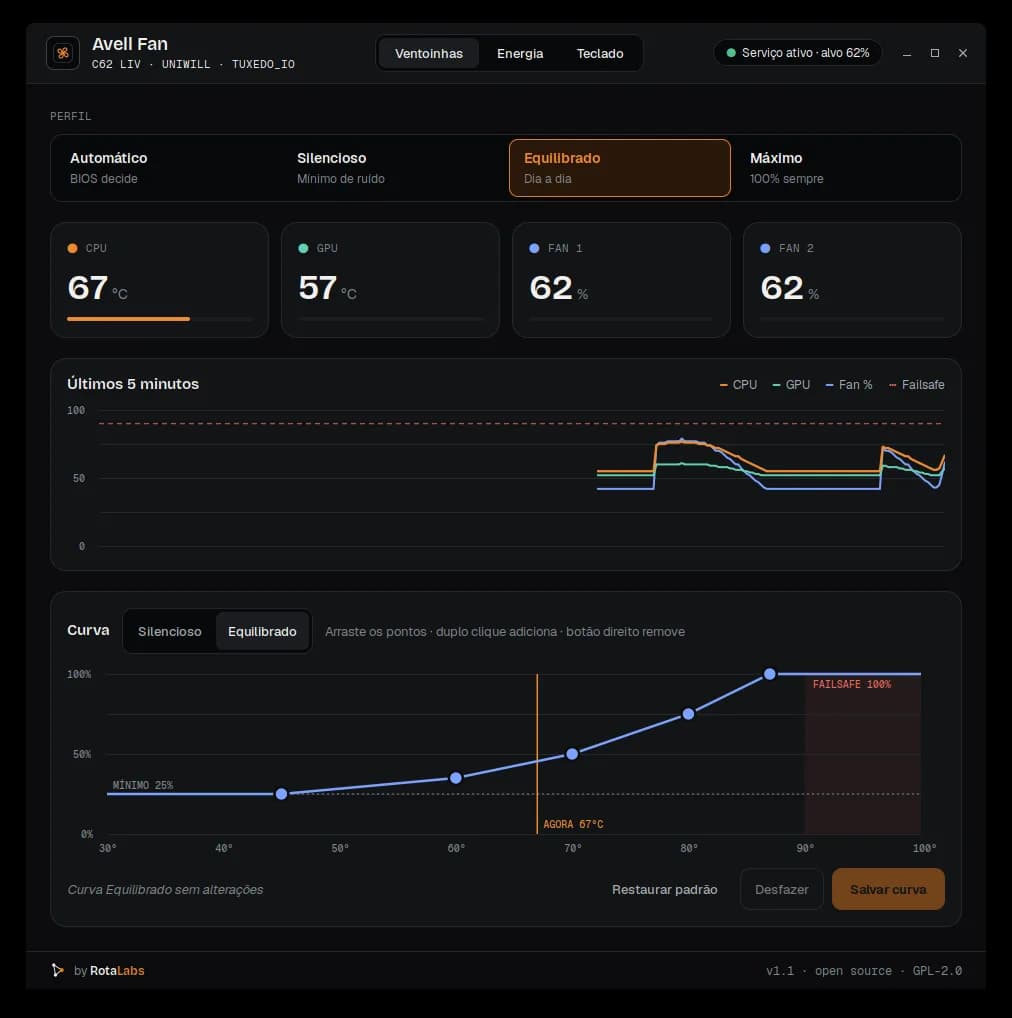
- 4 profilesAutomatic (BIOS), Silent, Balanced and Max, from the window, the tray or the terminal.
- Editable curvesDrag the temperature × speed points. The curve is validated before saving.
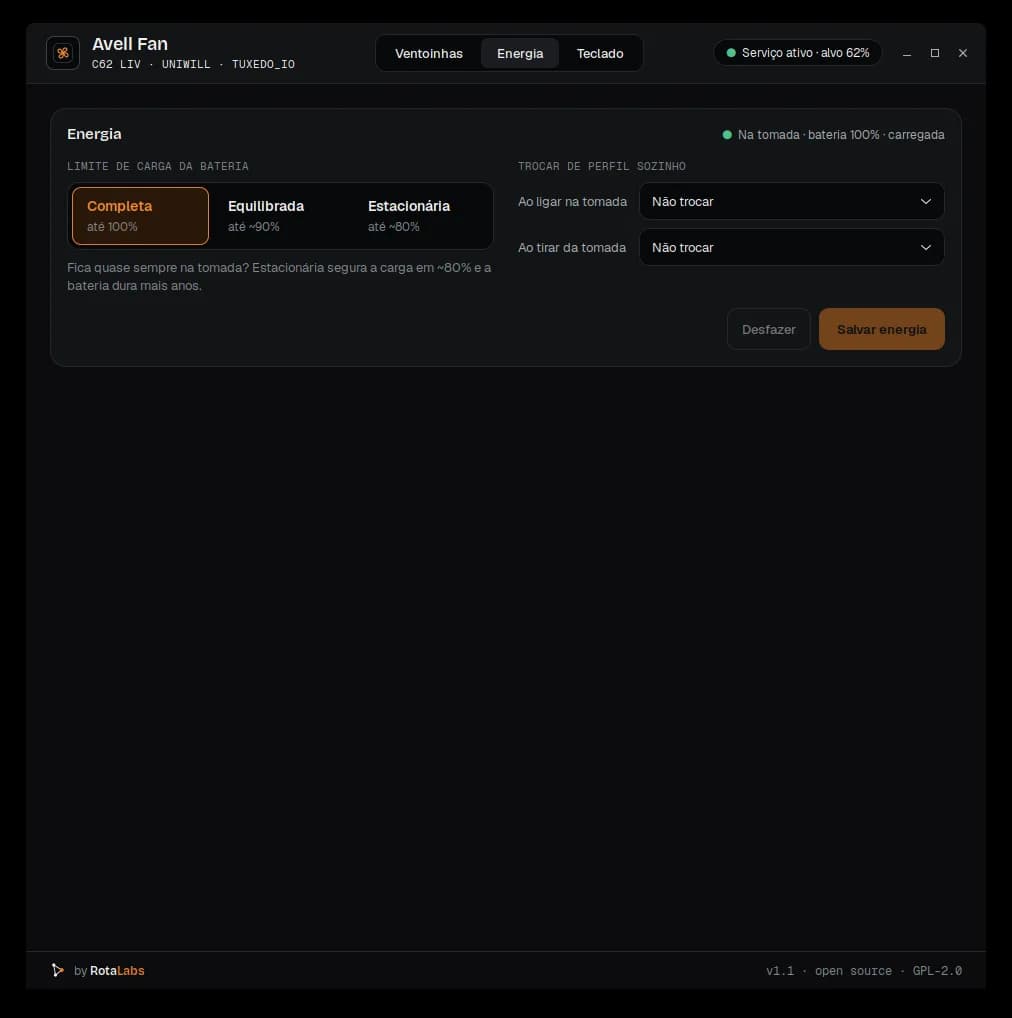
- Charge limitFull, ~90% or ~80%: if you're always plugged in, the battery lasts years longer.
- AC and batterySwitches profile on its own when you plug or unplug the charger.
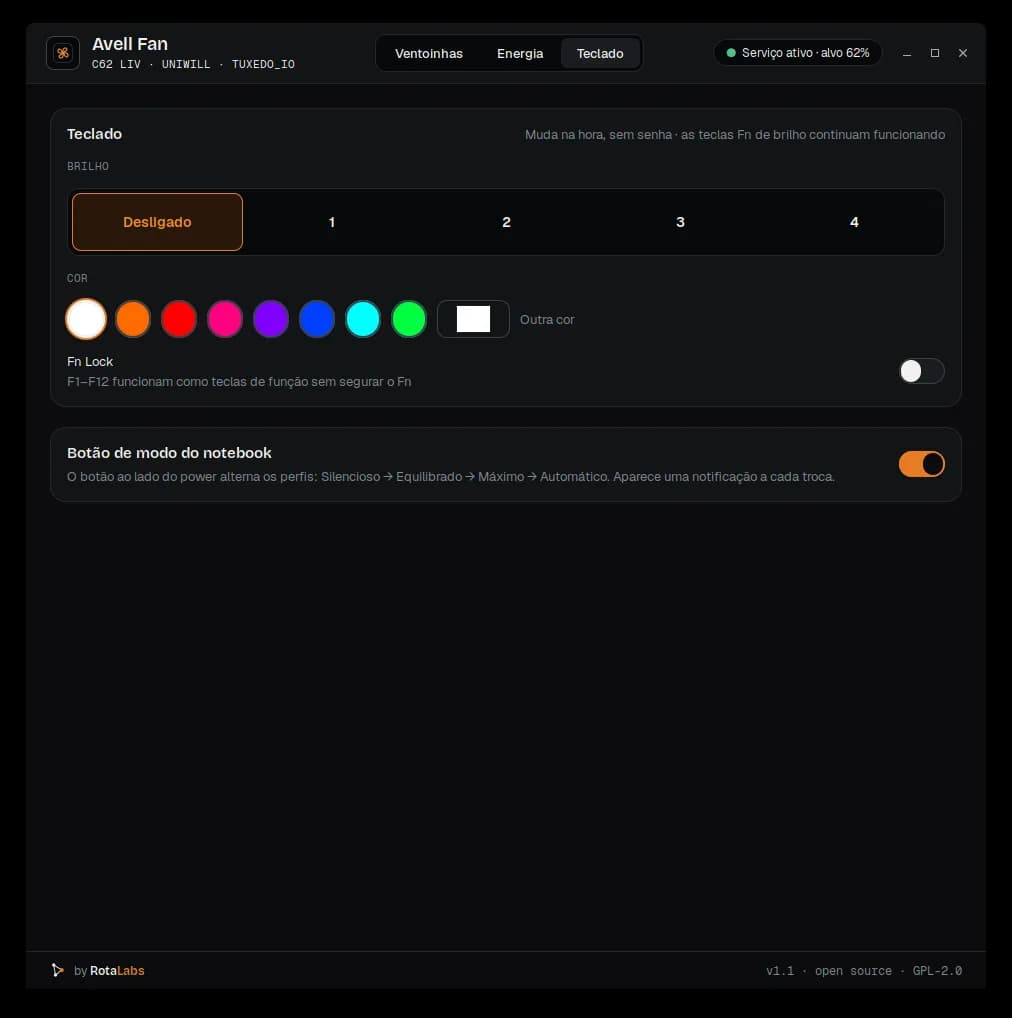
- RGB keyboardBrightness, color and Fn Lock, no password needed.
- Mode buttonThe button next to power cycles profiles again, with its light following.
- Tray and chartCPU and GPU temperature, fan speed and a 5-minute history.
- ThemesDark and light, with JSON design tokens for anyone who wants to customize.
03 / Compatibility
Compatibility
- Avell C62 LIV (i7-10750H, RTX 2060)Fans, profiles, charge limit, mode button and its light.Tested
- Avell com BIOS UniwillOther Avell laptops with Uniwill BIOS.Likely, untested
- Uniwill / TongfangOther laptops with a Uniwill/Tongfang chassis.Likely, untested
04 / Install
Install
.deb package
Download the .deb from the latest release and install it. The package builds the drivers (DKMS), enables the service and adds Avell Fan to the menu.
$ sudo apt install ./avell-fan_all.debSource code
testar.sh runs a read-only diagnostic without installing anything. Requires Secure Boot off.
$ git clone https://github.com/rotalabsco/avell-fan.git$ cd avell-fan$ sudo ./testar.sh$ sudo ./instalar.sh
05 / Safety
Safety
- From 90 °C, fans go to 100% regardless of profile.
- In manual mode, fans never go below 25%.
- If the service hangs, crashes or is stopped, control goes back to the BIOS.
- Speed never drops as temperature rises: curves are validated before saving.
06 / FAQ
FAQ
Does it work with Secure Boot on?
Not without signing the modules with a MOK key. With Secure Boot off, installation is straightforward.
Can it damage my laptop?
The service is built to fail safe: 90 °C failsafe, 25% minimum and automatic fallback to the BIOS if anything goes wrong.
Can I use it alongside TUXEDO Control Center?
No. The modules share names and conflict. Use one or the other.
Will it work on my Avell?
It was tested on the C62 LIV. Other Avell laptops with Uniwill BIOS should work: run the repo's diagnostic and share the result in an issue.
Independent project. Avell is a trademark of its respective owner; this project is not affiliated with Avell, Uniwill or TUXEDO.